
QuickBooks Error 1904 typically occurs when QuickBooks Desktop is being installed or updated. You might then see a message like “Error 1904: [file path/name/extension] failed to register.” This message can refer to a particular file, for example, icwrapper.dll or QBversionTool.dll.
Intuit suggests that your current company files and accounting data are not harmed by Error 1904 on its own. The issue is mainly connected with the Windows environment or with the components during installation.
What causes Error 1904 in QuickBooks?
This error doesn’t always come from one single cause; there are many causes; it may occur because a necessary Windows component is damaged.
The Microsoft .NET Framework and MSXML are two of the Windows components that QuickBooks might need when it is being installed, and any problems with these components can stop QuickBooks files from being recorded. Intuit also names permission problems and some security software, such as Bitdefender, as possible causes.
The error only shows up when a specific file is being registered, which is why the exact file name displayed in the Error 1904 message can be of use when troubleshooting.
How to Fix QuickBooks Error 1904
Use all the methods listed below in order, starting with the diagnostic tool that QuickBooks suggests.
Method 1: Run the QuickBooks Install Diagnostic Tool
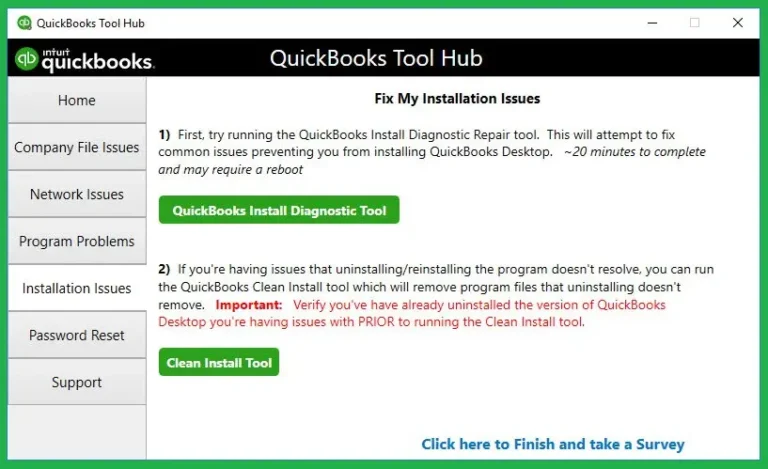
It is usually best to start with the QuickBooks Install Diagnostic Tool.
The tool can be obtained from the QuickBooks Tool Hub and is intended for diagnosing and repairing some of the Microsoft components that QuickBooks uses during installation.
Start by closing QuickBooks Desktop and then open the most recent version of QuickBooks Tool Hub. Intuit suggests that this could take as long as about 20 minutes, so do not close it while it is running.
When that is complete, restart your computer and then try installing QuickBooks once more.
Method 2: Update Windows
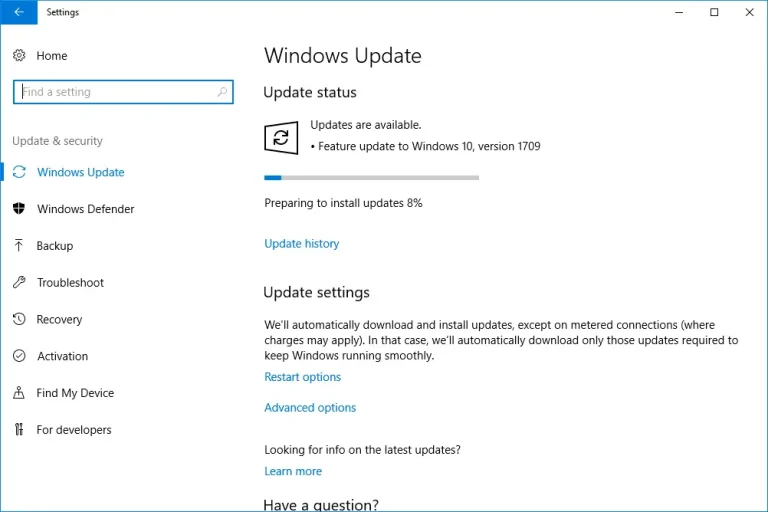
If the diagnostic tool fails to resolve the issue, then make sure that Windows has been fully updated.
Open Windows Update and look for any available updates. Then install the updates that are required and restart your computer.
Method 3: Fix the Microsoft .NET Framework and MSXML
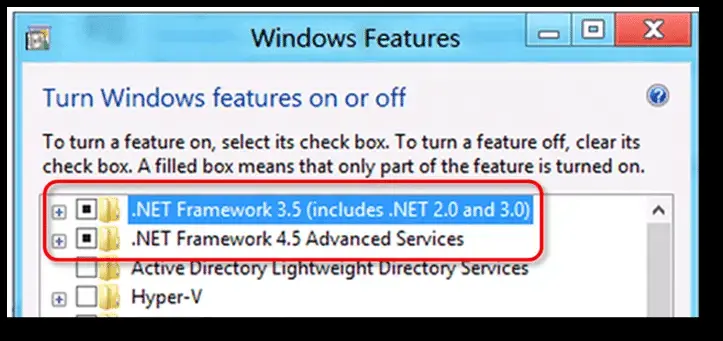
If the QuickBooks Desktop Error 1904 is still showing, then the problem could be due to the .NET Framework or MSXML.
However, this involves a more advanced system, and Intuit recommends that the manual repairs be carried out by an IT professional, an expert Windows user, or with the assistance of Microsoft support.
Method 4: Install QuickBooks With Administrator Permissions
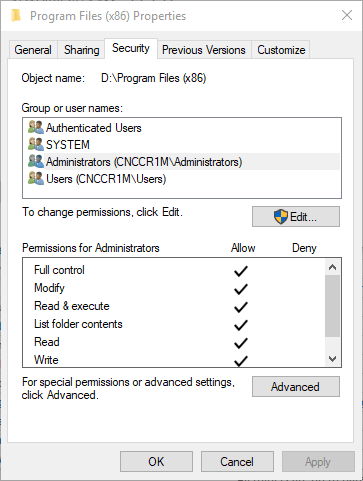
Windows permissions may stop QuickBooks from registering some files when it is being installed. Install QuickBooks using an account that has administrator rights.
Another option is to right-click on the QuickBooks installer and then select ‘Run as administrator’.
Intuit suggests that if the error refers to a particular file, such as QBversionTool.dll. You should check if you have the necessary permissions to write to the relevant Windows folders.
Method 5: Check Folder Permissions
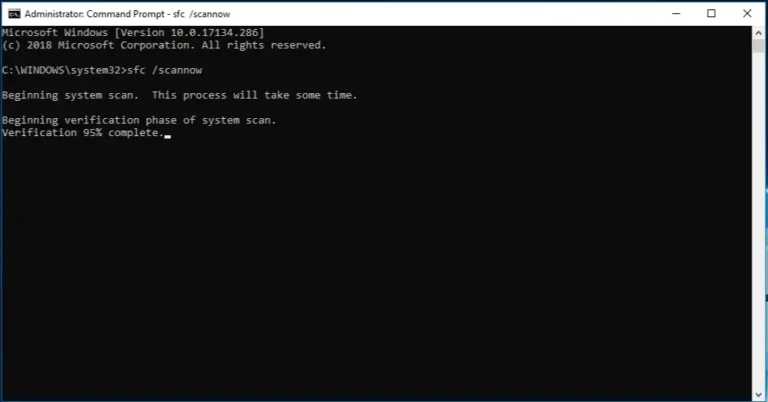
Error 1904 may still appear if QuickBooks is unable to write to or register files in the required Windows folders.
It is specifically suggested that you first check the permissions for the Common Files folder in situations where the error persists.
Method 6: Check Security Software
It is possible for security software to interfere with the installation of QuickBooks.
Intuit specifically advises that if you are using Bitdefender, you should add the relevant QuickBooks folders to its exclusion list rather than just turning off Bitdefender; the necessity of the exclusion depends on whether Windows is a 32-bit or a 64-bit version.
Method 7: Check the Exact File Mentioned in the Error
Look at the file name in the message that shows Error 1904. For instance, the error message ‘QuickBooks Error code 1904 icwrapper.dll failed to register’ refers to the particular file that QuickBooks was unable to register.
When the message refers to QBversionTool.dll, Intuit provides further troubleshooting steps which include the use of the Install Diagnostic Tool, administrator permissions, and access to the folder.
Method 8: Reinstall QuickBooks
In that case, it may be necessary to reinstall QuickBooks. Make certain that your company files and backups are safe before moving to the next step. Since the QuickBooks application and your company files are separate entities, reinstalling the programme does not mean that you should delete your .QBW company files.
Read More:- Quickbook Installation Errors
What if the QuickBooks Error 1904 still shows up?
If you’ve carried out the suggested troubleshooting steps and the QB Error 1904 still shows up when installing QuickBooks, don’t make any further changes to Windows.
Take down the full error message, including the name and path of the file that appears after ‘failed to register’.
Wherever the problem is related to Windows permissions or system components, it may be necessary for an IT expert to examine your computer. Intuit suggests getting professional help if the normal troubleshooting steps fail to resolve the issue.
Conclusion
QuickBooks Error 1904 is primarily an installation issue because the QuickBooks file doesn’t register correctly.
To fix the issue, start by using the QuickBooks Install Diagnostic Tool, then check for Windows updates and ensure that all required components are present. If the message names a specific file, use that information to assist with your troubleshooting.
Most important of all, avoid making any unnecessary changes. If the error is still happening, check the window seriously and connect to the professional.
Accounting Assist Pro can provide professional QuickBooks support to help troubleshoot persistent installation issues and related errors.
Frequently Asked Questions
What is error 1904 in QuickBooks?
Error 1904 in QuickBooks is an installation error that occurs when a QuickBooks file or component does not register properly during an installation or update process.
What causes 1904 QuickBooks Error ?
It results from Windows components, permission problems, or security software causing interference when QuickBooks is being installed.
What is the way to correct QuickBooks Error 1904?
Begin by using the QuickBooks Install Diagnostic Tool available on the QuickBooks Tool Hub, and then restart your computer before attempting to install QuickBooks once more.
What does the expression ‘failed to register’ mean?
What this means is that QuickBooks was unable to have Windows register a necessary file or component during the installation process.
What if the error 1904 refers to icwrapper.dll?
Start by using the QuickBooks Install Diagnostic Tool; if the issue still persists, then check the Windows components and permissions before trying the installation again.
Can antivirus software lead to error 1904?
Certainly, some security programs may have an effect on the installation process, and Bitdefender is known to have particular exclusion procedures recommended by Intuit.
Will Error 1904 cause damage to my QuickBooks company file?
By no means does Intuit claim that Error 1904 causes any damage to your accounting data or company files.
Should I carry out a reinstallation of QuickBooks right away?
You should first try the Install Diagnostic Tool and other simple troubleshooting steps; reinstallation might not be necessary if the fundamental Windows problem can be resolved.
Can I fix Error 1904 on my own?
Simple troubleshooting is usually something you can deal with on your own, but it’s better to have an experienced person who can do manual repairs to Windows components.