The QuickBooks Checking Account is an easy option for handling payments, expenses, and the regular cash flow of businesses. It uses QuickBooks tools to streamline banking transactions. Businesses are able to receive eligible payments from customers, transfer money, make use of a debit card, and handle savings envelopes. At present, QuickBooks Checking is available without any monthly charge or balance requirement.
What Is a QuickBooks Checking Account?
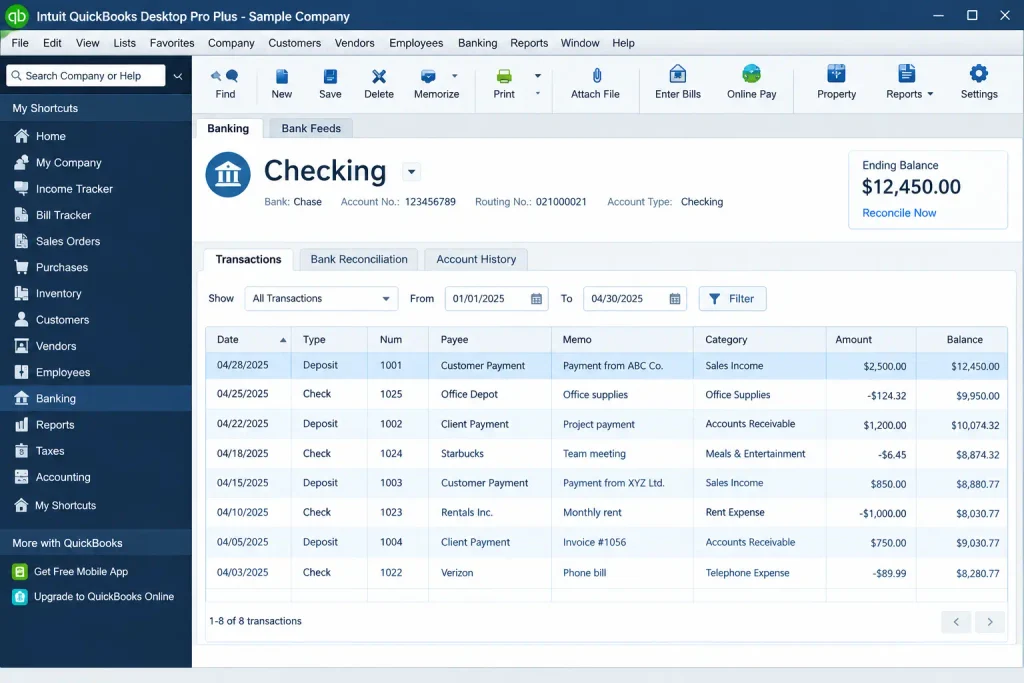
QuickBooks Checking Account is a bank account for businesses aimed at managing business finances. It integrates with QuickBooks solutions in order to link banking activity with business finance management. There is no charge for monthly maintenance or minimum balance in the account. Eligible users may also use savings envelopes to put aside money for certain purposes. QuickBooks account links business banking with QuickBooks solutions. This connection can reduce manual work while tracking business money.
The basic process works like this:
- Apply for QuickBooks Payments and QuickBooks Checking
- Complete the required business verification process
- Receive approval when eligibility requirements are met
- Receive eligible customer payments into the account
- Use available funds for business expenses
- Transfer money between connected accounts
- Review transactions through QuickBooks Software
- Match banking activity with financial records
Key Features of QuickBooks Checking Account
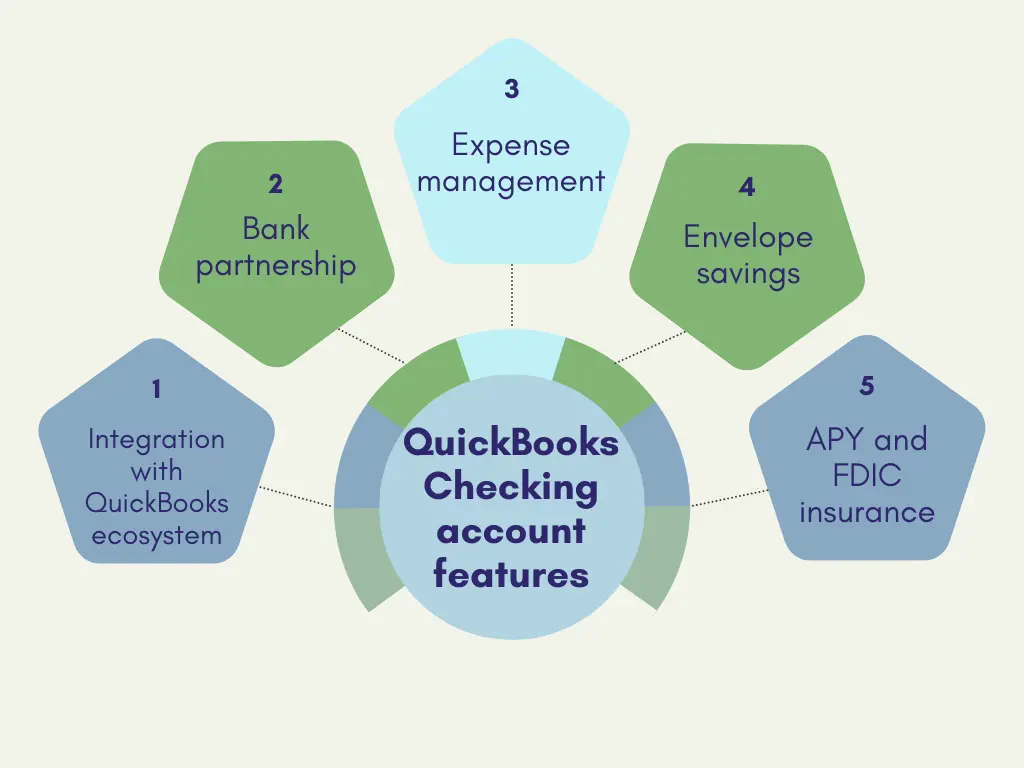
QuickBooks Checking combines banking functions with several QuickBooks business tools. These features can help owners manage money without switching between multiple systems.
QuickBooks Integration
- Connect banking activity with QuickBooks Software
- Match payments and spending with records
- Attach receipts to eligible transactions
- Keep financial information organized
Business Money Management
- Manage business funds through one account
- Separate company money from personal spending
- Use a dedicated business debit card
- Monitor available funds regularly
Payment Management
- Receive eligible customer payments
- Deposit payments directly into checking
- Accept eligible wire transfers
- Support selected business payment workflows
Transaction Tracking
- Review account activity
- Monitor deposits and withdrawals
- Track business spending
- Check transaction history when needed
Savings Envelopes
- Set aside money for specific purposes
- Create savings goals within the account
- Earn interest on eligible envelope balances
- Prepare funds for taxes or other needs
Benefits of a QuickBooks Business Checking Account
A QuickBooks Business Checking Account can help small businesses keep banking and bookkeeping services activities closer together.
Keep Business Finances Separate
- Separate company transactions from personal purchases
- Create cleaner records for business activity
- Make expense reviews easier
Simplify Bookkeeping
- Reduce manual transaction entry
- Match eligible payments and spending
- Keep receipts with related transactions
- Review financial activity from one system
Improve Financial Visibility
- Monitor incoming business payments
- Track outgoing expenses
- Watch available cash
- Set aside funds through envelopes
Support Business Growth
- Build consistent financial habits
- Organize funds for upcoming obligations
- Keep business records easier to review
- Access connected QuickBooks financial tools
How to Open a QuickBooks Checking Account
Opening an account starts through the QuickBooks ecosystem. Eligibility and approval requirements apply.
Step 1: Sign In
- Access your eligible QuickBooks account
- Open the available banking or payments section
Step 2: Apply for QuickBooks Payments
- Start the QuickBooks Payments application
- Provide the requested business information
Step 3: Apply for Checking
- Select the available QuickBooks Checking option
- Review the displayed account details
Step 4: Complete Verification
- Submit the required business information
- Complete any requested identity or business checks
Step 5: Review Terms
- Check current fees
- Review account conditions
- Confirm available features
Step 6: Complete the Application
- Submit the application
- Wait for the eligibility decision
Tips for Managing Your QuickBooks Checking Account
Good account management helps businesses maintain accurate records and control cash flow.
- Review transactions regularly
- Monitor available funds
- Categorize business expenses correctly
- Reconcile records when necessary
- Check account statements
- Review fees periodically
- Protect account login details
- Report unfamiliar activity quickly
Conclusion
A QuickBooks Checking Account gives small business owners an easy way of handling company funds on a daily basis. It integrates business banking services with QuickBooks accounting services, payments, transfers, and savings envelopes. Currently, there is no monthly maintenance charge or minimum balance required for the checking account. For more QuickBooks tips and accounting guidance, Accounting Assist Pro helps users understand accounting software features and manage their bookkeeping more efficiently.
Frequently Asked Questions
1. What Is a QuickBooks Checking Account?
A QuickBooks Checking Account is a business bank account connected with QuickBooks tools. It supports receiving payments, spending, transfers, and money management.
2. How Does a QuickBooks Checking Account Work?
The account receives eligible business payments and supports everyday transactions. Banking activity can connect with QuickBooks for easier financial tracking.
3. Who Can Open a QuickBooks Checking Account?
Businesses that meet QuickBooks’ eligibility requirements can apply. Applicants generally need access to QuickBooks Payments before using QuickBooks Checking.
4. How Do I Open a QuickBooks Checking Account?
Sign in to QuickBooks and apply through the available Payments and Checking options. You must provide required business information and complete verification.
5. Does QuickBooks Checking Have Monthly Fees?
No. QuickBooks currently states that QuickBooks Checking has no monthly fee and no minimum balance requirement. Other transaction fees can still apply.
6. What Are the QuickBooks Checking Account Fees?
QuickBooks Checking Account Fees can include charges for certain ATM withdrawals, foreign transactions, and instant transfers. Review the latest fee schedule before using these services.
7. Can I Use QuickBooks Checking for My Business?
Yes. QuickBooks Checking is designed as a business bank account. It can support customer payments, business spending, transfers, and financial organization.
8. Can QuickBooks Checking Connect With QuickBooks Online?
Yes. QuickBooks Checking can connect with QuickBooks Online and other supported QuickBooks tools. This connection can help match payments and spending with records.
9. Can I Deposit Money Into a QuickBooks Checking Account?
Yes. Available options include customer payments, bank transfers, mobile check deposits, cash deposits, and wire transfers. Eligibility and applicable fees can vary.
10. Can I Use a QuickBooks Checking Account to Pay Bills?
Yes. QuickBooks supports bill payments through its Bill Pay service. Users can connect QuickBooks Checking and pay eligible vendors through supported payment methods.
11. Is a QuickBooks Business Checking Account Safe to Use?
A QuickBooks Business Checking Account is provided through Green Dot Bank, an FDIC-insured institution. Eligible deposits receive applicable FDIC insurance protection.
12. What Are the Benefits of Using a QuickBooks Checking Account?
A QuickBooks Checking Account can simplify payment deposits, spending, transfers, and financial organization. It can also connect banking activity with other QuickBooks tools.