
QuickBooks Error 80070057 is a file access error in QuickBooks Desktop. It appears when the program can’t properly read, write, or reach your company file, and it displays the message “The parameter is incorrect.”
You go to open your file and get hit with exactly that, with QB Errors 80070057 right underneath. That’s it. No transactions. No hint of what actually broke.
It’s almost always a Desktop thing. And here’s the part worth knowing before you do anything else: it’s rarely your data that’s wrecked. QuickBooks just can’t reach the file the way it’s supposed to. Connection problem, not data problem. Your books are fine.
What’s Actually Going On
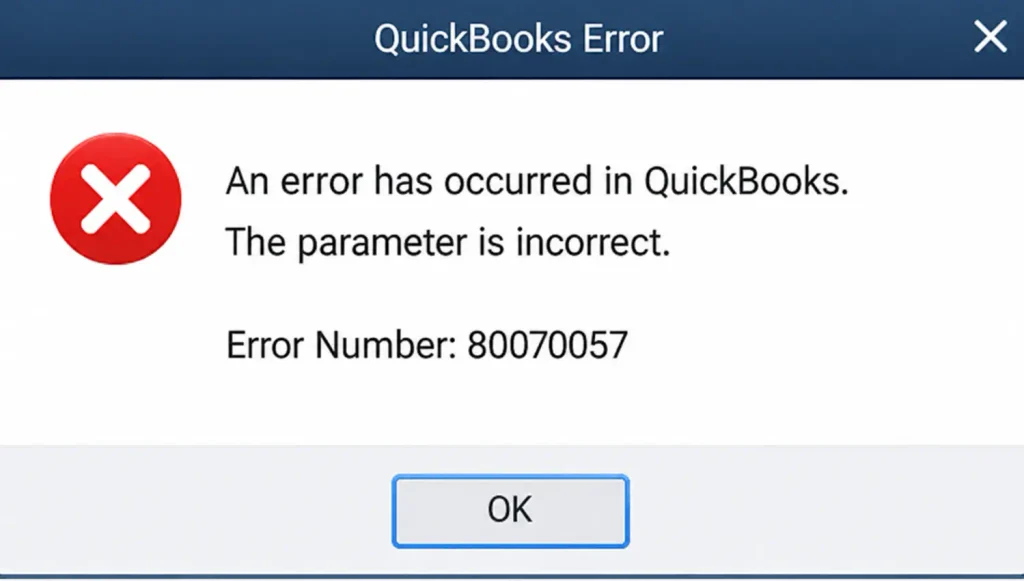
Skip the jargon. QuickBooks tried to read, write, or delete something in your company file‘s folder. Windows either said no, or got a request it couldn’t make sense of. “Parameter is incorrect” is Windows’ way of shrugging.
One computer stuck, everyone else fine? Look at that machine specifically. Everybody hit at once? Server, not workstation.
Worth checking early: does the error happen every single time you try to open the file, or only sometimes? Intermittent points toward a flaky connection, either network or removable drive. Consistent points toward permissions or a corrupted companion file.
What Causes QuickBooks Error Code 80070057
Wrong way of opening the file
Double-clicking the .QBW file in File Explorer instead of going through QuickBooks first. This explains a huge share of cases on its own. QuickBooks reads that as an invalid handoff, since it skips the sequence the program expects.
Damaged .ND or .TLG files
Two small files that sit next to your real company file. If either one corrupts, you get this error, even though your actual data is untouched. Both rebuild on their own, with no manual setup needed.
Not enough folder permissions
Multi-user mode wants full control of the whole folder, not just read access to the file. Someone tightens a shared drive, forgets what QuickBooks needs, and this shows up weeks later with zero warning.
File sitting on removable storage
USB drive, external hard drive: QuickBooks needs a constant connection, and those don’t hold one. They sleep, they lag, they drop out mid-session without any notice.
Firewall or antivirus blocking it
Bitdefender comes up constantly in reports tied to this exact error, quietly cutting off ports QuickBooks needs to talk over the network.
Outdated QuickBooks or Windows
Version mismatches between the two cause this more than people expect, especially right after a Windows feature update.
Changed or corrupted file extension
Sometimes a bad backup, sometimes something worse, like a ransomware hit that renames files QuickBooks no longer recognizes.
Multiple computers set to host the file
Only one machine should have “Host Multi-User Access” turned on. With more than one, QuickBooks starts throwing errors trying to sort out who’s actually in charge of the file.
How To Fixing QuickBooks Error 80070057
Work through these top to bottom. Most people stop needing the list after the third fix.
Solution 1: Open the file through QuickBooks, not File Explorer
- Close QuickBooks completely.
- Reopen the program.
- Go to File > Open or Restore Company and select your file.
- Skip any desktop shortcut that points straight at the .QBW file.
- If this was the cause, the error clears in under a minute.
Solution 2: Rename the .ND file
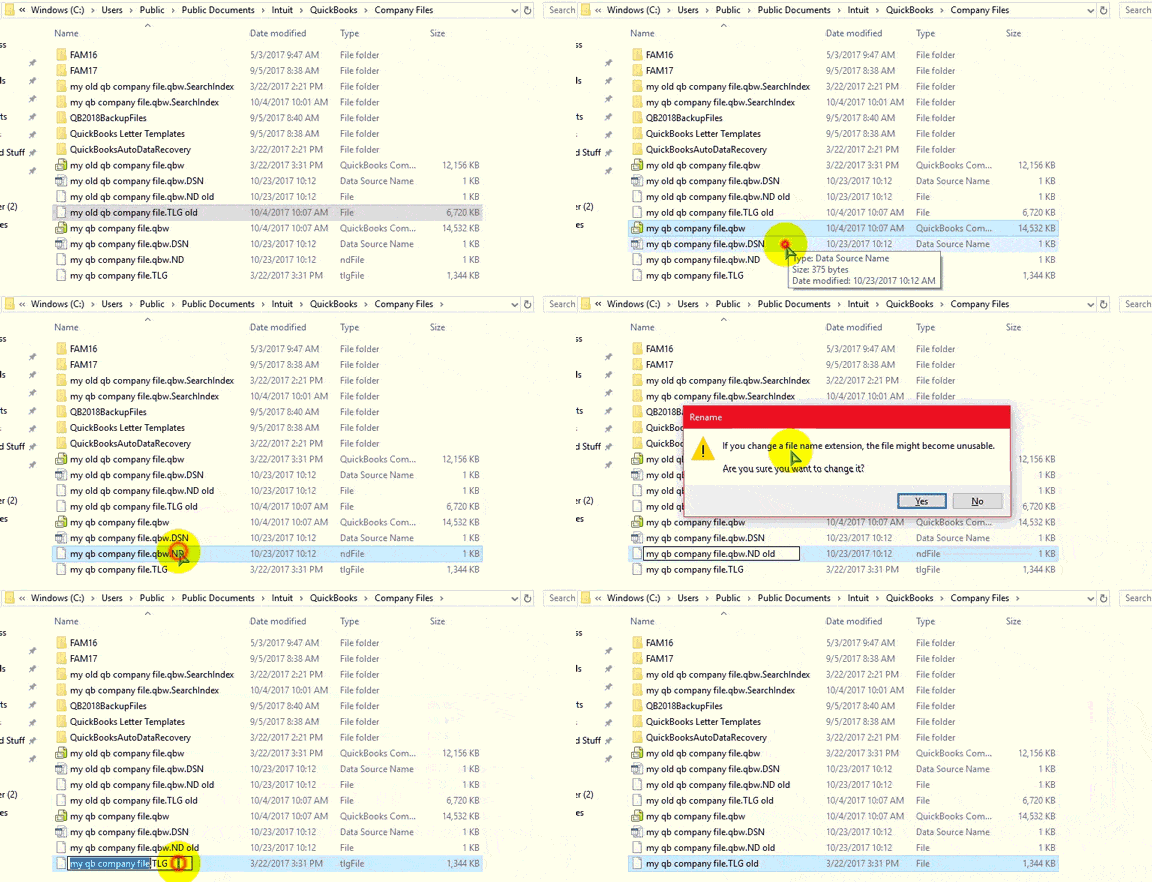
- Open the folder that holds your company file.
- Find the file with the same name ending in .ND.
- Right-click it and choose Rename.
- Add “.old” to the end of the name.
- Open your company file again. QuickBooks rebuilds the .ND file on its own.
Solution 3: Run QuickBooks Database Server Manager
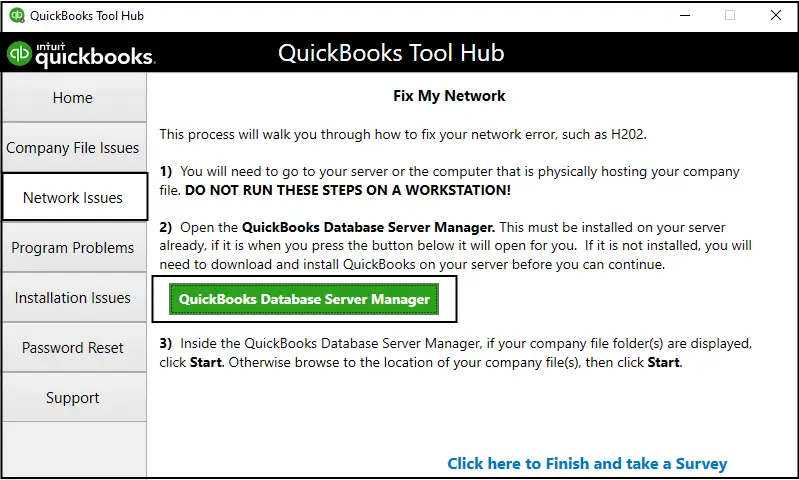
- Run QBDBSM on the server, not on your own computer.
- Scan the folder that holds your company files.
- Let the tool finish and fix any access problems it finds.
- Reopen your file from a workstation to confirm.
Solution 4: Use QuickBooks Tool Hub

- Download and install latest QuickBooks Tool Hub from Intuit.
- Open QuickBooks Tool Hub.
- Select Company File Issues.
- Choose QuickBooks File Doctor.
- Select your company file.
- Choose the option to check and repair the file.
- Follow the on-screen instructions.
- Reopen QuickBooks after the process is complete.
Solution 5: Fix folder permissions
- Right-click the folder with your company file and select Properties.
- Open the Security tab.
- Give your account Full Control, not just read access.
- On multi-user setups, give Full Control to QBDataServiceUserXX as well.
- Restart QuickBooks and try again.
Solution 6: Move the file off removable storage
- Copy the company file from the USB or external drive to a local drive or a proper network server.
- Open the file from the new location from now on.
- Skipping this step usually means the error returns within a few weeks.
Solution 7:Check your firewall and antivirus
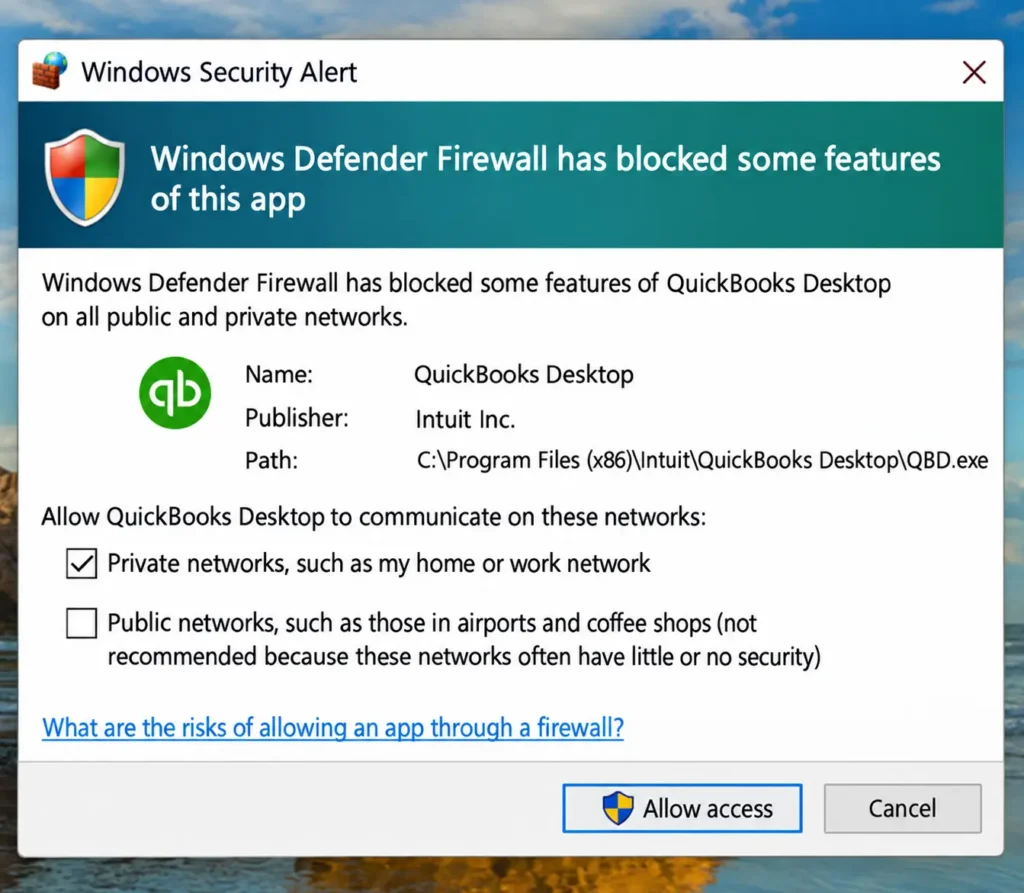
- Look for settings that block QuickBooks on the network.
- Pay special attention to Bitdefender if you use it.
- Check the software vendor’s own documentation for the exact steps and ports, since they differ by product.
- Restart QuickBooks after making changes.
Solution 8: Update QuickBooks Desktop
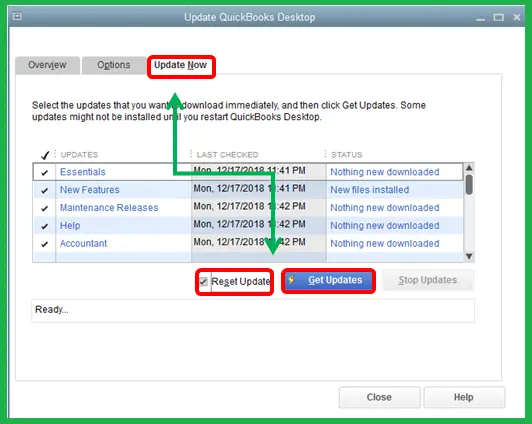
- Go to the Help menu and select Update QuickBooks Desktop.
- Tick Reset Update to clear out old downloads.
- Click Get Updates.
- Restart QuickBooks once the update finishes, then try your file.
Read More:- Fix QuickBooks Update Errors
Solution 9: Confirm only one computer is hosting
- Open the QuickBooks hosting settings on each workstation.
- Turn “Host Multi-User Access” on for the server only.
- Make sure it is off on every other computer.
Solution 10: Run SFC and DISM (last resort)
- Open Command Prompt as administrator.
- Run sfc /scannow and let it finish.
- If it fixed something, restart and run the scan again to confirm.
- If you are still stuck, run DISM /Online /Cleanup-Image /RestoreHealth.
- Restart, then run sfc /scannow one more time.
How to Identify QuickBooks Error 80070057
Before you pick a fix, a few quick observations can tell you where to look.
| What you notice | What it usually points to |
| Error appears only when you double-click the .QBW file | Wrong way of opening the file |
| Only one computer is affected | Local permissions, firewall, or a habit in how that machine opens the file |
| Everyone is affected at once | Server-side problem: permissions, hosting, or the Database Server Manager |
| Happens every single time | Permissions or a corrupted .ND/.TLG file |
| Happens only sometimes | Flaky connection, either network or removable drive |
| File is on a USB or external drive | Storage dropping out mid-session |
| Started right after a Windows or QuickBooks update | Version mismatch |
| File extension looks wrong or unfamiliar | Corrupted backup or possible ransomware |
A few extra checks help confirm it:
- Read the message itself. “The parameter is incorrect” with QuickBooks Error 80070057 is the one you’re after. Different codes need different fixes.
- Look at the folder. Is the .ND file there? Does the .QBW extension look right? Are there odd or renamed files?
- Try a working computer. If the same file opens fine on another machine, the problem is local to the first one.
- Run Verify Data. If you can get into the file, go to File > Utilities > Verify Data. A clean result tells you the file is healthy and the issue is access.
- Think about what changed recently. A new antivirus, a tightened shared folder, a Windows update, a moved file. The cause is often the last thing someone touched.
How to Prevent QuickBooks Error 80070057
Once it’s fixed, a few habits keep it from coming back.
- Always open the file from inside QuickBooks.
- Keep the company file on a stable drive.
- Set permissions once and document them.
- Host from one computer only.
- Keep QuickBooks and Windows updated.
- Add QuickBooks to your firewall and antivirus exceptions.
- Back up on a schedule.
- Run Verify Data now and then.
- Don’t rename or move company files casually.
- Run the Database Server Manager after changes.
Keeping It From Coming Back
Open QuickBooks first, file second, no exceptions. Real drive or server, never removable storage. Don’t sit on updates for months at a stretch.
Growing business, worth knowing this too: a file stuffed with manual entries gets shakier over time, and that shakiness tends to show up as exactly this kind of error. Automating order entry instead of typing everything in by hand keeps the file smaller and steadier, which cuts down on issues like this going forward.
Still broken after all this? Might genuinely need a rebuild rather than another workaround. Accounting Assist Pro can help review the issue directly and determine whether a rebuild or another repair approach is appropriate.
FAQs– QuickBooks Error 80070057
Does this mean my file is corrupted?
Rarely. Run Verify Data from the File menu to check, but permissions and network issues cause this far more often than real corruption does.
Can I skip calling IT?
Usually, yes. Renaming the .ND file or opening the file correctly solves it most of the time. IT tends to only get pulled in for firewall changes or server permission fixes.
Is renaming the .ND file risky?
No. QuickBooks rebuilds it the next time you open the file. Nothing about your actual data changes in the process.
Why is it only happening on one computer?
That points to something local to that machine: permissions, a firewall rule, or a habit in how the file gets opened. Compare it against a computer that’s working fine and the difference usually turns up fast.
Can firewall settings cause QuickBooks Error 80070057 in Multi-User?
Yes. A firewall or security program may block QuickBooks from accessing the company file or communicating over a network. Allowing QuickBooks through the firewall may help resolve the problem.
Prerequisites to fix QuickBooks Desktop Error 80070057?
Ensure that you have administrator permissions, company file backup, latest version of QuickBooks, a good network connection and firewall & antivirus settings access.
Does QuickBooks Error 80070057 mean my company file is damaged?
Not necessarily. This can happen due to the file’s accessibility or other security settings. Nonetheless, if everything else fails, company file corruption can be taken into consideration.
Can I fix QuickBooks Error 80070057 without losing my company data?
Yes, for the most part. Steps such as QuickBooks updates, permission checks, network configurations, and running QuickBooks Tool Hub do not involve deleting the company file. Remember to back up your company file before making any repairs.